Calendar
The Calendar tab lays your tasks out by due date, in a layout that follows Home Assistant's own calendar.
Views and navigation
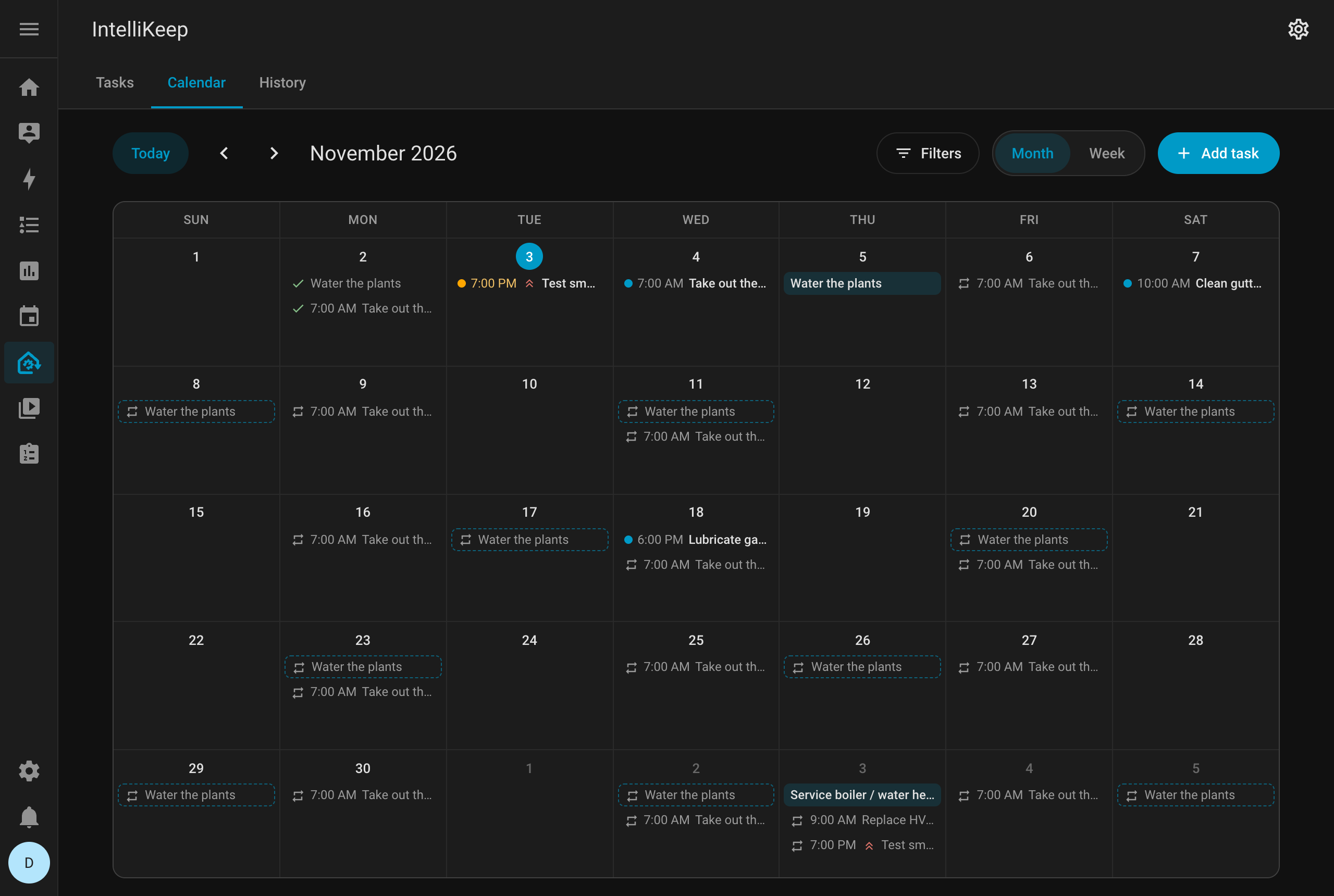
- Month and Week switch between the two views
- Today, Previous and Next move between months or weeks, and the toolbar shows the period you are looking at
- The tab always opens on the current month
Days and weeks follow the time zone and the first day of the week set in your Home Assistant user profile.
How tasks look
- Tasks with a time show it next to a dot; all-day tasks show as a tinted bar
- Color marks only what needs attention: overdue tasks and tasks due today
- Critical tasks show their priority icon
- Completed tasks are greyed out with a check
- A day with more tasks than fit shows +N more, which opens that week
Click a task to open it in the task dialog. Click the empty space of a day to add a task due that day.
Future repeats
Recurring tasks also show their future repeats, the occurrences after the open one, as dashed outlines with a repeat icon. Click one to open the task.
They are projected the way completing creates the next occurrence, assuming each one is done on its due date (and an overdue one, today). That makes them exact for tasks counted from their due date, and an estimate for tasks counted from completion, whose real dates depend on when each occurrence gets done.
A switch in Filters hides the future repeats.
Future repeats appear only in the panel. The calendar.intellikeep_tasks entity lists only the open occurrences, so calendar triggers fire only for real tasks.
Filtering
Filters has the same area, device and priority filters as the Tasks tab, plus the switch for future repeats.
On phones
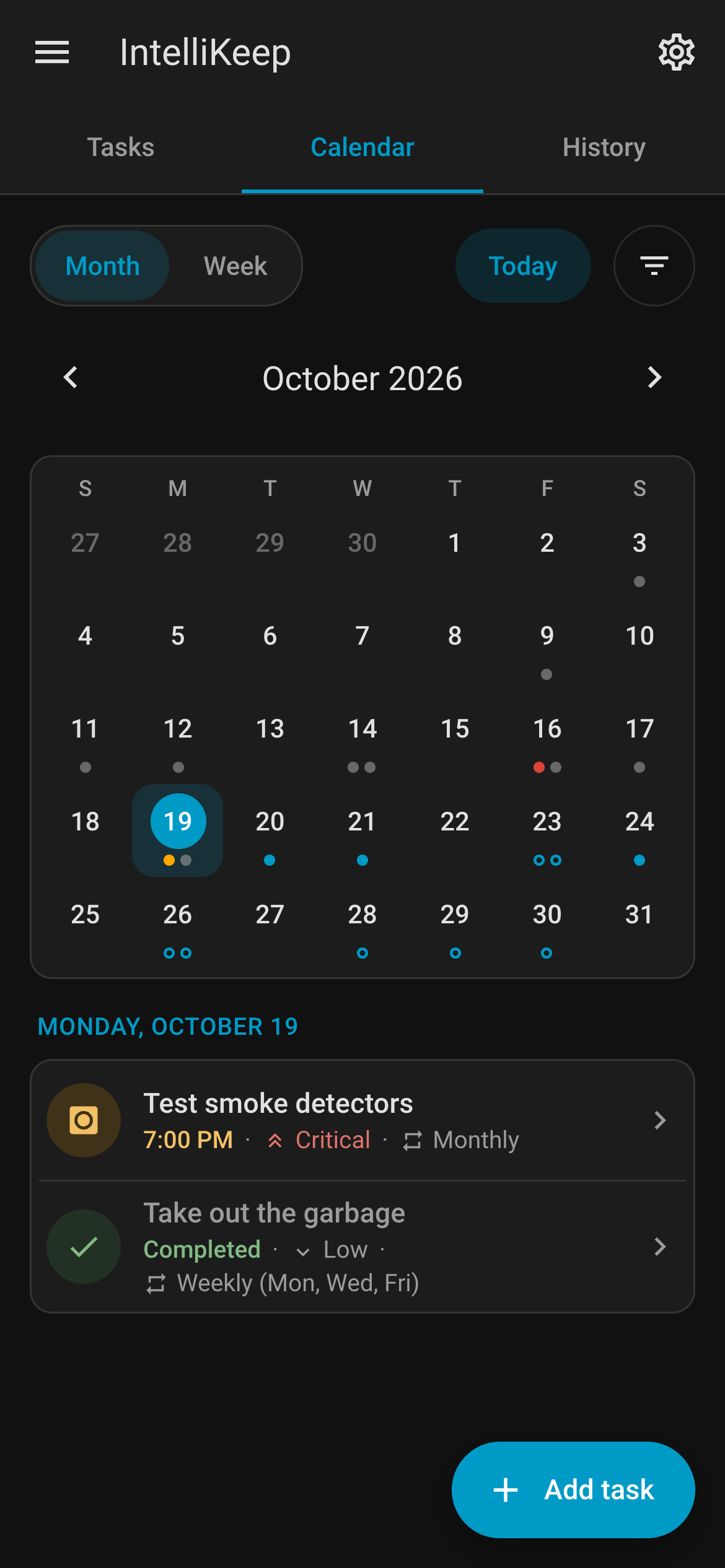
On phones, the month is a small grid with a dot per task, and the tasks of the chosen day are listed under it. The week view is a list of days.