IntelliKeep
IntelliKeep is a free, open-source custom integration for Home Assistant that keeps track of your home maintenance tasks. It gathers everything in one place, from a monthly filter swap to a yearly boiler service, and reminds you before things fall due. Every task keeps its own history, so you always know what was done, by whom, and when.
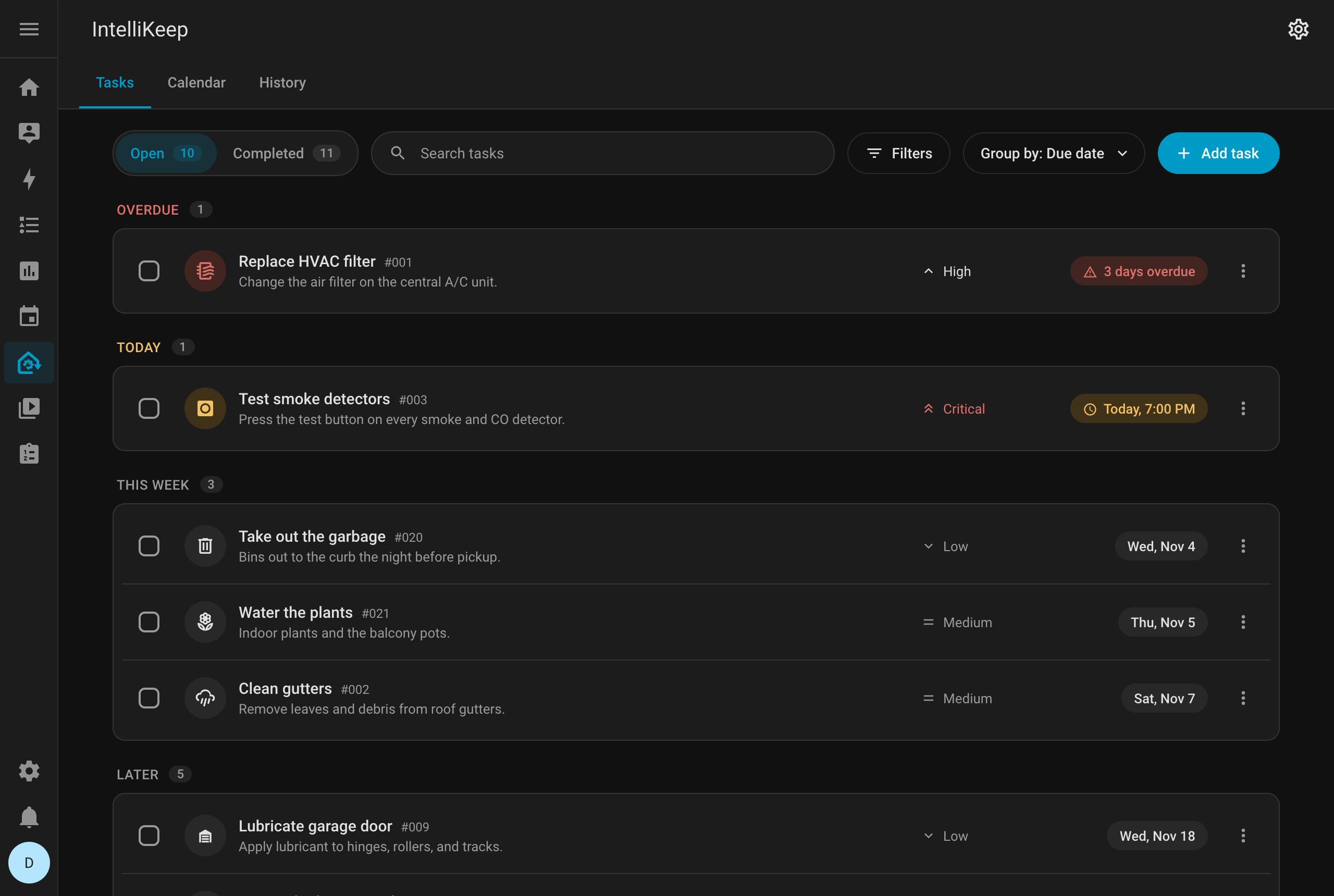
What IntelliKeep does
- One-time and recurring tasks that repeat every N days, weeks, months or years, counted from the completion or from the due date
- Weekly tasks pinned to specific days of the week, such as garbage collection on Mon/Wed/Fri
- Four priority levels (low, medium, high, critical), shown as an icon and a label
- An icon per task, picked from the Material Design Icons
- Links to Home Assistant areas or specific devices
- Timestamped notes per task, with the name of who wrote them
- An activity log per task covering edits, completions, reopens and note changes
- A calendar with month and week views, the future repeats of recurring tasks, and filters by area, device and priority
- A completion history with who did each task and whether it was on time, plus CSV export and print
- Reminders through Home Assistant persistent notifications, with optional mobile push
- Three sensors:
tasks_due_today,tasks_overdueandnext_due_task - A to-do list (
todo.intellikeep_tasks) for Home Assistant's To-do lists and a calendar (calendar.intellikeep_tasks) for its Calendar, calendar cards and calendar triggers - A dashboard card that lists the most urgent tasks and completes them with one click
- A responsive panel that follows the Home Assistant UI on desktop and on phones, in English, Portuguese and Spanish
What IntelliKeep does not do
- Automatic device discovery
- Vendor firmware updates
- External account authentication or syncing with third-party task platforms
Quick start
- Install via HACS (recommended)
- Restart Home Assistant
- Add the integration under Settings → Devices & Services
- Open the IntelliKeep panel in the sidebar and create your first task
:::tip Coming from 1.x? Version 2.0 redesigned the panel and the dashboard card and changed a few defaults. Read Upgrading from 1.x before you update. :::